Most people buy a walking pad with incline, walk on it twice, and then slide it under the couch, where it quietly becomes the most expensive footrest in the house. I lived that exact pattern. My first pad arrived in 2021, I had it running in four minutes, and by week three it was holding a laundry basket.
The pad was never the problem. The setup was. No desk that actually adjusted, a remote I had to aim like a TV clicker, and a floor that made the whole frame shimmy at 2.5 mph. Fix those three things before you plug anything in and the pad turns into a habit instead of a story you tell about wasted money.
Here is the order I do it in now, after three pads, a herniated L5 disc, and a spreadsheet of decibel readings taken at ear height while the belt is moving.
Why you should trust me
I spent nine years as a backend engineer sitting for ten hours a day. At 31 my L5 disc herniated, and my physical therapist handed me a choice that was not really a choice: move every hour or pay for it later. That is how I ended up rebuilding a home office in Austin around movement instead of around a chair.
I own three walking pads. I keep a step counter on my wrist, a tape measure on the desk, and a spreadsheet of noise readings taken at my own ear height, mid-stride, with the belt running. I write about walking pads the way I would want someone to write about equipment I stand on for two hours a day: belt width, deck height, peak versus sustained motor rating, auto-stop behavior, and how many times a day I have to touch a remote.
I do not run on walking pads. That is treadmill territory with a different safety profile. And I do not claim a pad fixes anyone's back. Mine helped me move more. That is the entire claim.
How I picked and how I tested
Two things decide whether an under-desk treadmill survives past month one: whether it is quiet enough to use on a call, and whether it is stable enough to walk on barefoot without thinking about your ankles.
Noise first. Manufacturers quote decibel numbers at idle, with nobody on the belt. I take readings while walking, at my ear height, because that is the number that matters when you are on a Zoom call. A pad that sounds fine standing still can be unusable at 3 mph.
Stability second. I walk at 2 mph, then 2.5, then 3, and I watch the frame. A pad that wobbles at 2.5 mph is a pad you stop trusting. I also check belt width against my stride, measure deck height because a tall deck is a trip hazard in a small office, and roll the unit across a wood floor to hear whether the wheels scrape.
Then the boring details: how many button presses it takes to change speed, whether the remote needs line of sight, and whether an app demands an account before it will let me move. Those decide whether I use a pad forty times a day or four.
Both pads below are ones I would hand to a friend who works from home and wants to walk through meetings. They are different tools for different desks.
The pads worth setting up
A walking pad is useless without a desk that adjusts, so treat this as one purchase decision rather than two. If your desk is fixed height, fix that first. Everything below assumes you have somewhere to put a laptop at standing height.
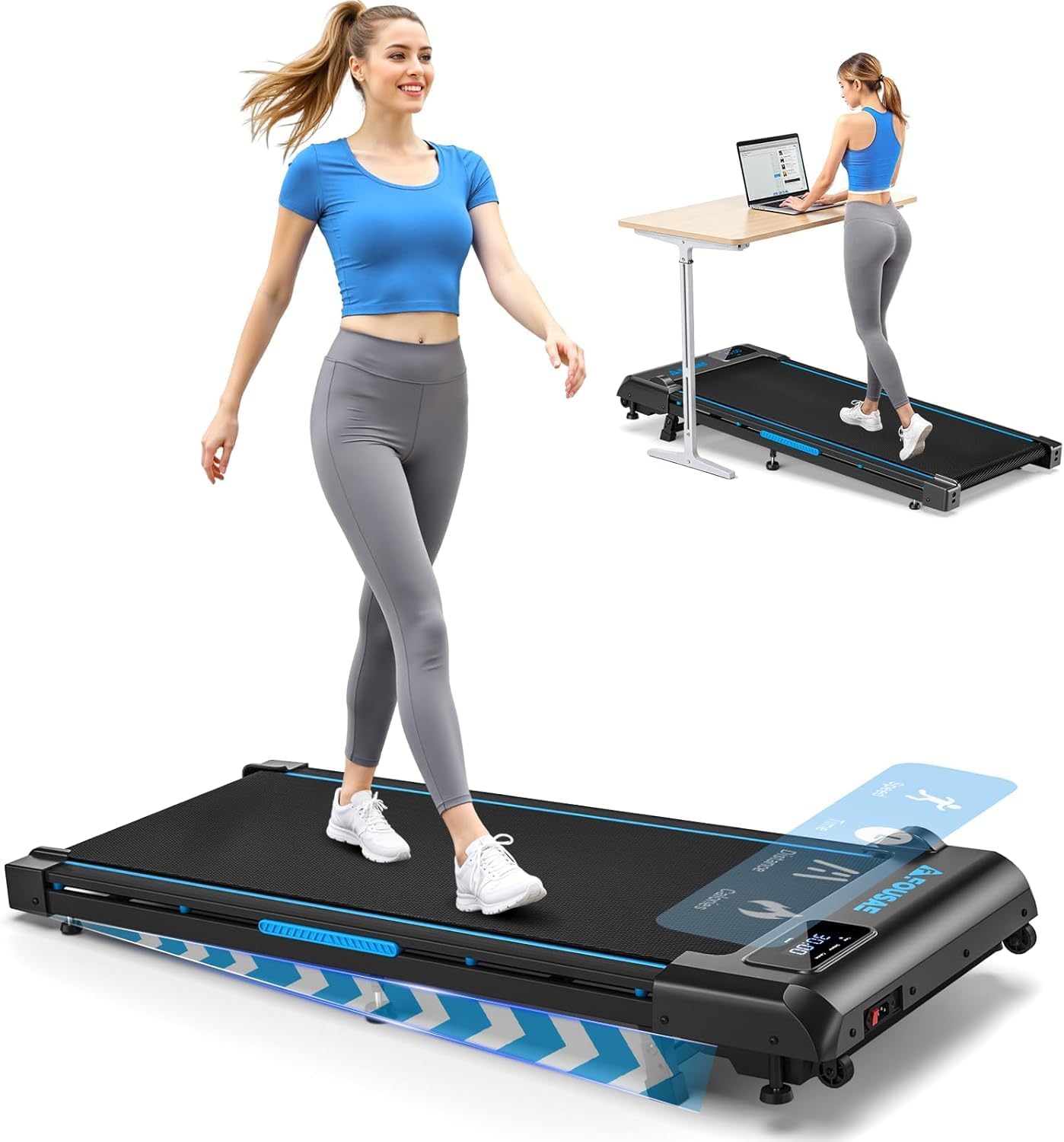
Budget pick: Walking Pad, FOUSAE 6.2MPH Under Desk Walking Pad with 10% Incline, Treadmills for Home with Double Frame, 2.75HP Brushless Drive Treadmill, 12 HIIT Programs, Remote Control, 350LBS Capacity
 Visit on Amazon →
This is the one I would point a first-time buyer toward. The double frame is the part that matters to me, because frame flex is what makes a budget pad feel unstable at 2.5 mph, and a stiff frame is the difference between a pad you trust and a pad you brace against. A brushless drive is also the right call for a desk setup: fewer wearing parts and generally quieter than a brushed motor turning at the same speed.
The 10% incline is a real feature, not a sticker. Walking at a slight incline at 2 mph raises the effort without raising the speed, which is exactly what you want if you are reading email at the same time. The 12 built-in HIIT programs give you something structured to do when you are not working, and the 350 pound capacity means the frame is not being pushed anywhere near its limit by an average adult.
Flaws but not dealbreakers: the incline means the deck sits at an angle, so give it a little more room behind you than you think you need. The remote is the component I would test hardest in the first week, because that is the part that fails first on every pad I have owned.
Anyone with a fixed budget, a normal-height desk, and a plan to walk at 2 mph during calls should start here.
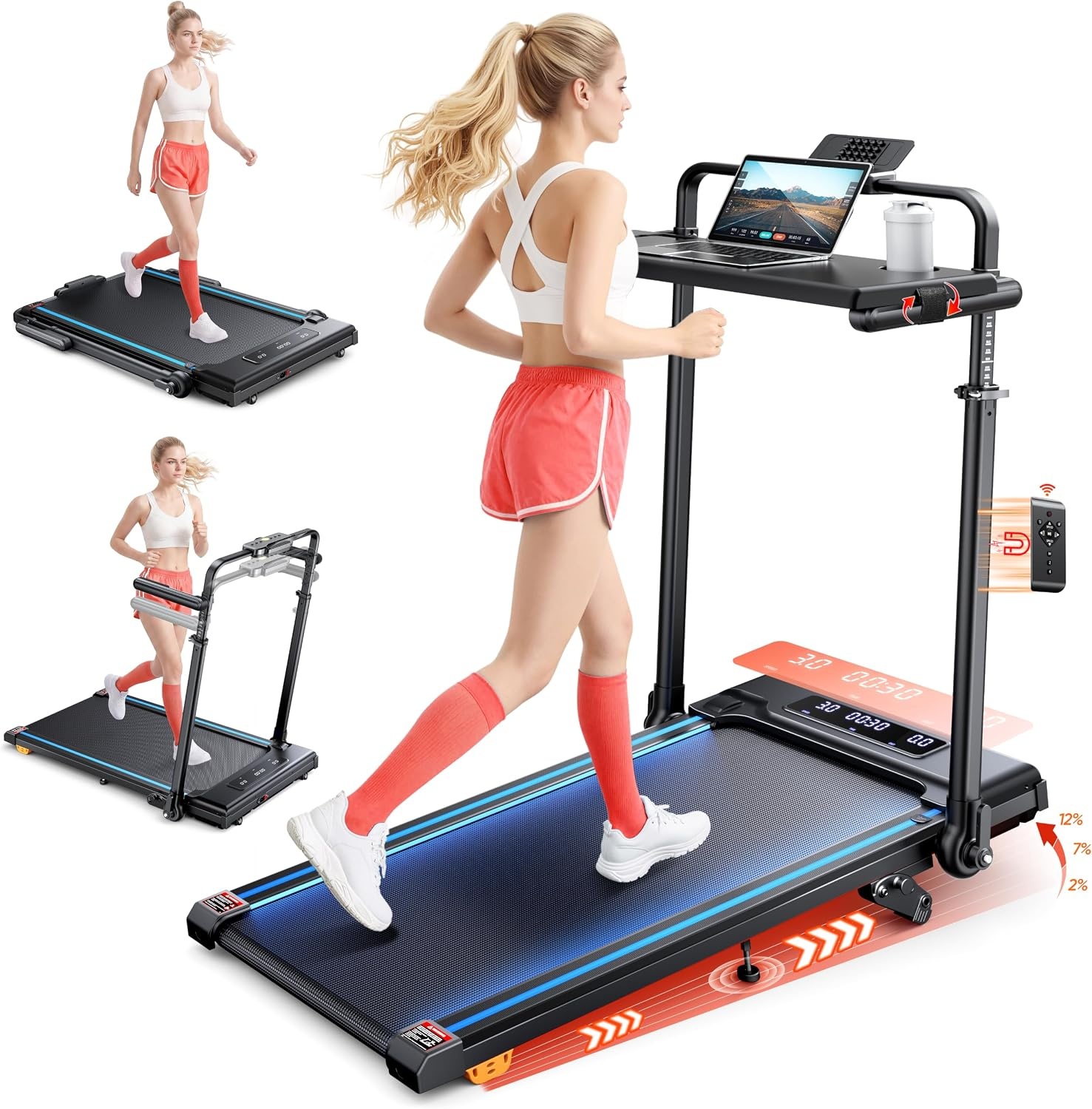
Upgrade pick: Walking Pad Treadmill with Incline 2%-7%-12%, 2.75-3.0HP Foldable Desk Treadmill for Home with LED Display, Remote&APP Control, Max 330LBS Capacity
 Visit on Amazon →
This is the pad I would buy if I wanted the incline to change during the day. Three positions, from a near-flat 2% up to 12%, mean you can walk flat while you type and then bump it up for a twenty-minute block without stopping the belt. That range is the whole argument for this unit: it covers a casual work pace and a much harder walk in the same session.
The 2.75 to 3.0 HP motor rating puts it a step above the budget tier, and the LED display is readable from standing height, which sounds trivial until you have spent a week crouching to check your speed. Remote and app control both exist, so you can keep the remote on the desk and leave the phone in your pocket.
Flaws but not dealbreakers: the app is a second way to do something the remote already does. If it wants an account before it will change speed, ignore it and use the remote. Foldable designs add joints, so check the hinge area for play after a few weeks of daily use.
Anyone who wants real variety inside a single walking session, and has the floor space for a longer deck, will get more out of this one.
The setup, in order
Step one: fix the desk height first. Measure while standing. Your elbows should sit near 90 degrees with your hands on the keyboard, which usually lands the keyboard about an inch below elbow height. Do this before the pad arrives, because a pad plus a too-low desk is how people end up hunched over a laptop at 2 mph.
Step two: pick the floor. Hard, level, and boring. Carpet and thick rugs are where wobble comes from, because the frame sinks unevenly and the belt tracks differently under each foot. If carpet is your only option, put a thin plywood or hardboard panel under the pad. Leave at least three feet of clear space behind the deck, more if you are using an incline.
Step three: walk on it before you introduce the desk. Five minutes at 1.5 mph with nothing else going on. No laptop, no phone, no podcast. You are learning the cadence and finding out whether the belt pulls to one side. Fix that now, not during a client call.
Step four: do a noise test at speed. Walk at 2 mph and record thirty seconds of audio on your phone, then listen back with headphones. That recording is what your coworkers will hear. If it is distracting, check the floor surface and whether the belt is rubbing before you blame the motor.
Step five: decide where the remote lives. You will touch it dozens of times a day, so give it a home at the desk edge and keep it there. If your remote needs line of sight, angle it toward the sensor and stop moving it around. A remote in a drawer is a pad that stays off.
Step six: set a speed ceiling and respect it. Two miles per hour is a working speed. Around 2.5 mph, typing gets unreliable. Above 3 mph you are exercising, not working, and you should stop pretending otherwise. Pick your number before the first session and do not creep past it.
Step seven: learn the auto-stop. Every pad stops the belt under some condition, whether that is a safety key, a step-off sensor, or a timeout. Know which one yours uses and where the safety key is before you walk, not after.
Step eight: schedule the blocks. Two twenty-five minute walks and a few five minute resets work better than one long session you skip. Put them in the calendar as events, the same way you would a meeting. This is the step that decides whether the pad lasts.
Where people go wrong
Buying the pad before the desk is the number one mistake, and it is not close. A walking pad under a fixed-height desk is a footrest with a motor.
Walking at gym speeds is second. Under-desk treadmills are not treadmills, and comparing them to gym equipment is how people get hurt. Two miles per hour for forty minutes is a genuinely useful amount of movement.
Judging noise at idle is third. A pad sitting still tells you nothing. Walk on it, at your working speed, with your body weight on the belt.
Then the small stuff: leaving it on thick carpet, folding it away every single day so that setup friction kills the habit, and using an app that wants an account when a remote is sitting right there.
What I am not comparing this to
I am not comparing either pad to a running treadmill, and I am not going to recommend running on one. The belt, the deck, and the frame are sized for walking. Sprint intervals on a folding desk pad are how you end up with a warranty claim and a story about your knee.
I am also not treating a walking pad as a medical device, even though I think it should be reviewed like one. Mine helped me keep my hourly movement promise to my physical therapist. That is a habit outcome, not a treatment.
What this actually costs you
The pad is the cheap part. The expensive part is the decision to use it, and that is decided in the first week by desk height, floor surface, and remote placement.
Do the math on minutes instead of dollars. Twenty-five minutes of walking, twice a day, five days a week, is roughly four hours of low-intensity movement you were not getting while sitting. Over a year that is the difference between a pad you use and a pad you store. If you are weighing it against a gym membership you rarely use, the comparison is not the equipment, it is which one you will actually touch on a Tuesday afternoon.
The setup takes an afternoon. The habit takes a week to prove. Get the desk right, get the floor right, set a speed ceiling, and put the remote where your hand already goes. Everything after that is just walking.